Mounting Bolt Pattern
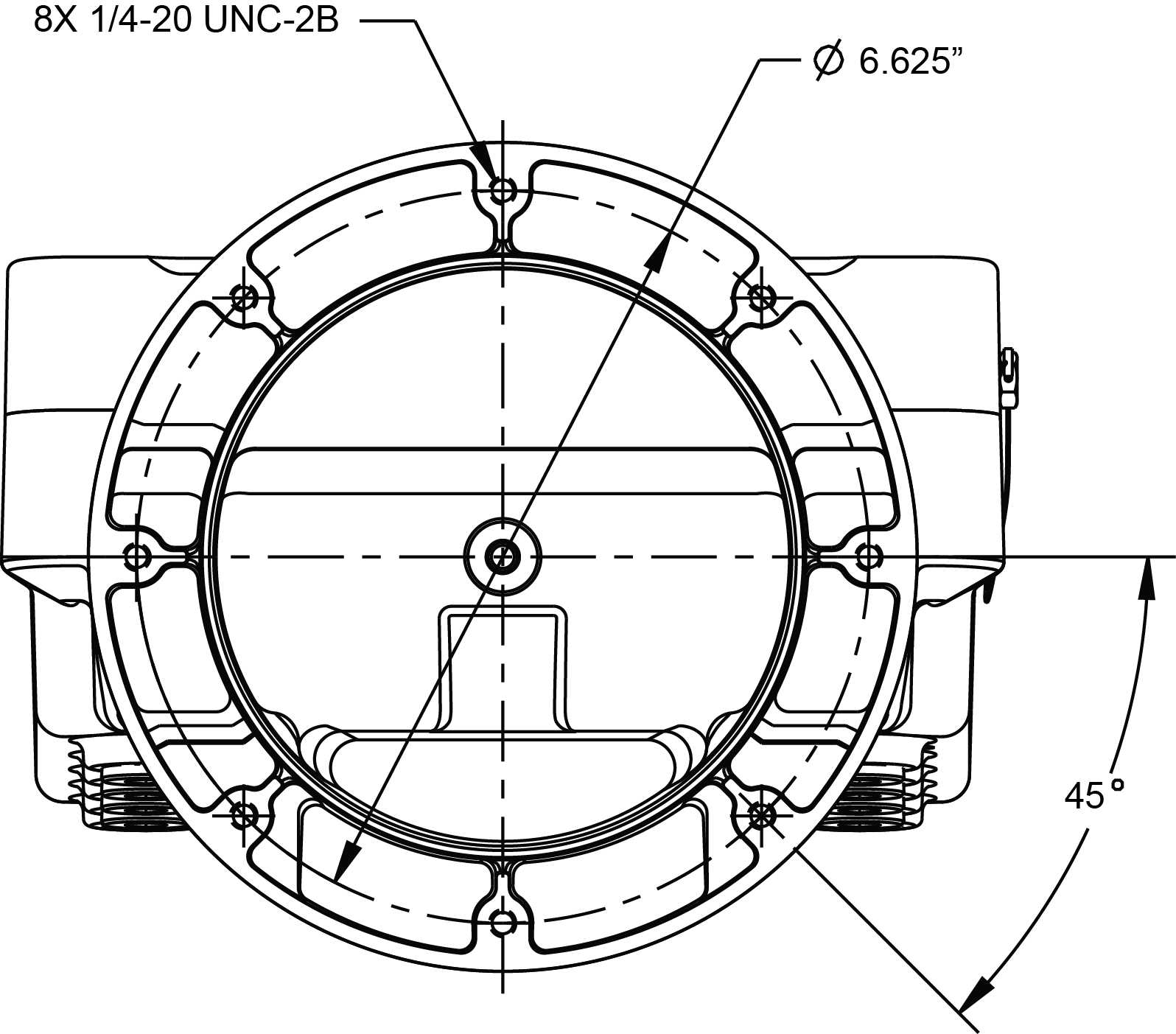
The Register base housing contains eight bolt holes in an industry standard bolt pattern. This design allows for horizontal rotation of the housing in 45° increments to conveniently mount the register in various orientations. The holes are ½" deep and take ¼"-20 screws.
If the installation requires that you fabricate a bracket, refer to the drawing below.
Installing the Register on existing LC meter installations
Remove Existing Registration Equipment
Follow these steps:
1.Depressurize the meter completely. See the Warnings in Mounting Overview.
2.Remove the four bolts on the bottom that fasten the register to the meter.
3.If replacing a mechanical register, remove the adjuster from the meter.
4.If the meter has a Temperature Volume Compensator (TVC), remove it as well.
Mount the Register
Follow these steps:
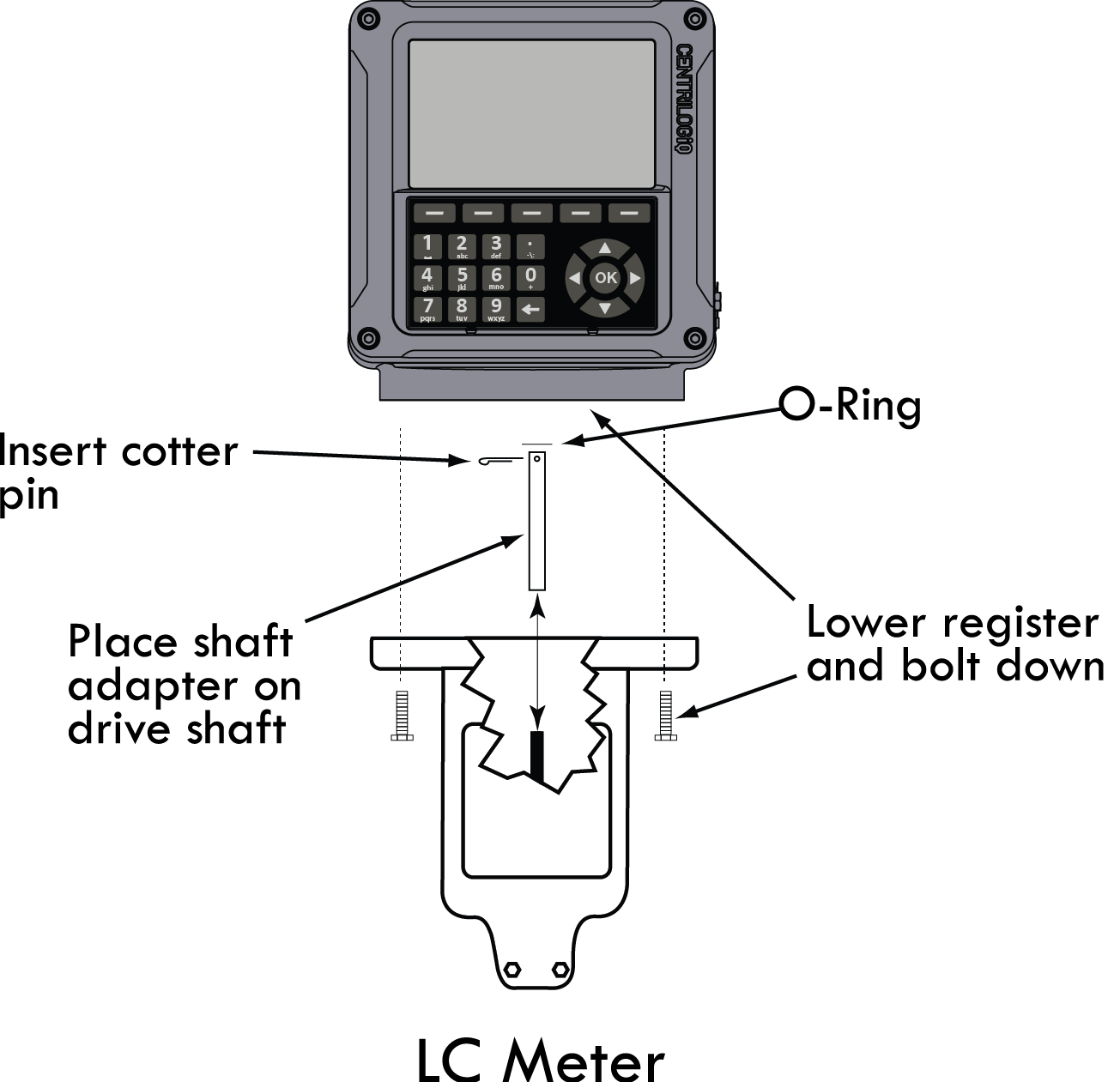
1. Place the end of the shaft adapter on the pulser drive shaft located on the bottom of the register.
2. Place the cotter pin through the hole, and bend open the ends of the cotter pin.
3. Lower the register onto the meter, and insert the shaft adapter onto the hex shaft on the meter.
4. Securely bolt down the register.
Apply Anti-seize |
Apply anti-seize to all bolt threads to ensure easy removal at a later date. |
Neptune Meters
Remove Existing Registration Equipment
Follow these steps:
1.Depressurize the meter completely. See the Warnings in Mounting Overview.
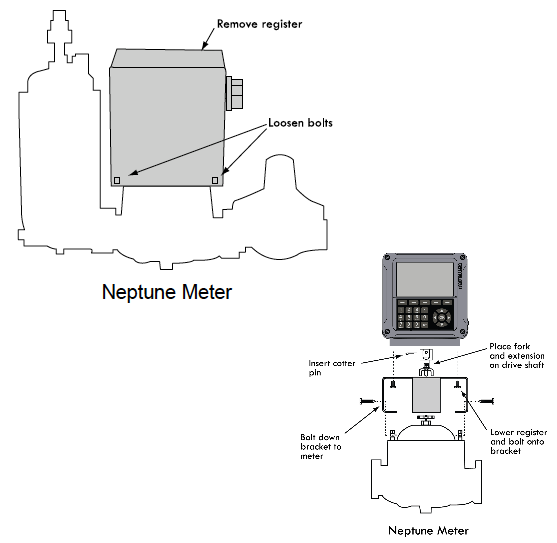
2.Remove the mechanical register from the meter.
3.Leave the star-shaped gear and the two square-head studs.
4.Remove the bellows from the front of the meter.
5.Remove the compensator.
Mount the Register
Follow these steps:
1.Install the drive fork and extension piece (pictured below) on the pulser drive shaft located on the bottom of the Register.

2.Install the bracket on the meter, and fasten with the bolts provided in the kit.
3.Lower the Register on to the bracket, and securely fasten using the four bolts (¼" x ¾") provided.
Star Gear and Drive Fork |
When the register is lowered onto a Neptune meter, make sure the drive fork is not pressed against the star gear on the meter. There must be a small gap between these two parts. To lower the star gear, loosen the set screw on the side of the star gear. Failure to do so will eventually damage the internal pulser and/or the meter gear train. |
APPLY Anti-seize |
Apply anti-seize to all bolt threads to ensure easy removal at a later date. |
Mount the Register on previously temperature compensated Neptune meters
Follow these steps:
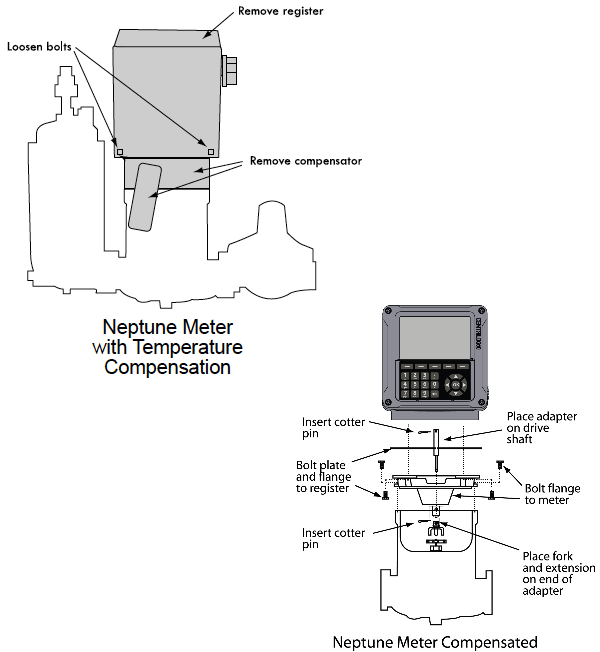
1.Place the shaft adapter on the pulser drive shaft under the Register.
2.Place the cotter pin through the hole, and bend open the ends of the cotter pin.
3.Pass the other end of the shaft adapter through the flange assembly and the weather plate.
4.Loosely bolt to register.
5.Place the drive fork and extension piece on the shaft using two more cotter pins.
6.Bolt the flange to the meter and tighten all bolts.
Installation kits 82641 (E-26 series) & 82642 (E-36 series) are specifically designed for previously temperature compensated Neptune meters. |