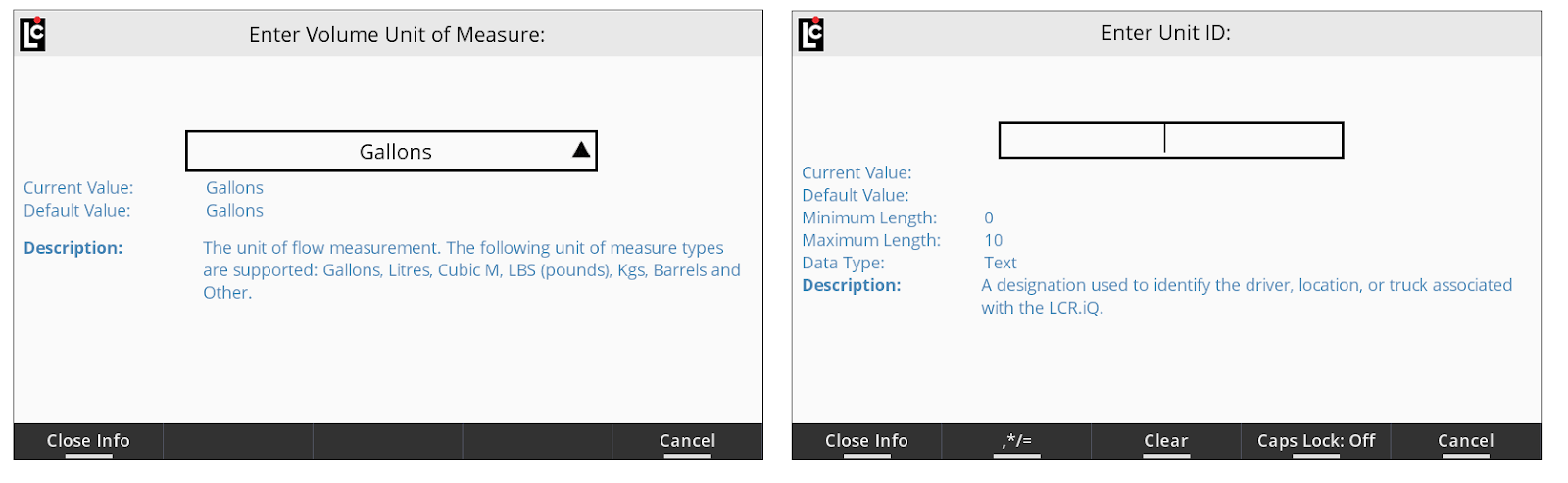
The Info button is a helpful tool for the technician or user that does not have access to the setup and operation manual when setting up and programming the register. Like the manual, the Info button will give the user valuable information about the field and available parameters.
Follow these steps:
1.To access information using the Info button, navigate to any available field and press OK to access the field data.
2.Once in the field data, the screen will display a function key labeled Info.
3.Press the Info button and the screen will now display the info details.
List Boxes will display the default setting, current setting, field description and a list of options that may also include detailed description information. Text Boxes will display the default value, current value, minimum and maximum number of characters for the field or minimum and maximum value for the field, accepted data type and a field description.
4.While in an info screen, text data can be entered, however the user must exit the info screen to make a list box selection.
5.To exit an info screen, press the Close Info function key.